CLOUDE TOOLS · IMAGE TOOLS
Image Compressor
Compress images online
HOW IT WORKS
How to use the Image Compressor
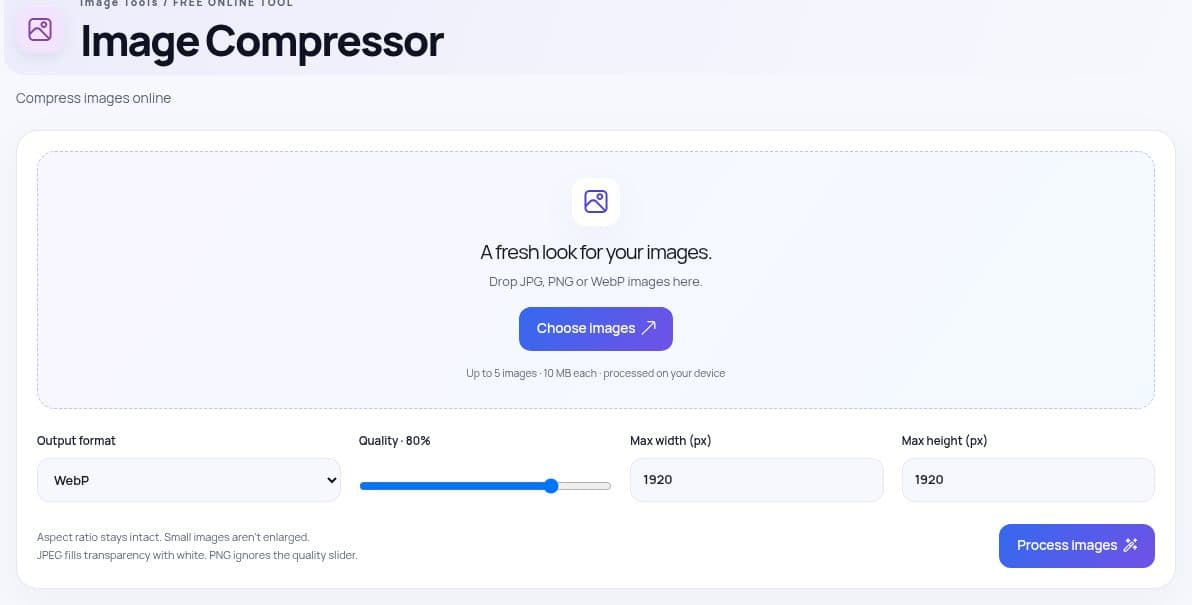
Choose or drop up to five supported images.
Select an output format when the tool offers a choice.
Set the maximum width and height; aspect ratios are preserved.
Adjust JPEG or WebP quality and press Process images.
Review the actual sizes and previews, then save individual files or Download ZIP.
ADVANCED FEATURES
What the Image Compressor can do
- Browser-local image processing
- Real before-and-after file sizes
- Aspect-ratio-preserving size bounds
- Individual images and batch ZIP export
EXAMPLES & USE CASES
See it in action
| Format | Compression | Transparency | Best for | Typical size |
|---|---|---|---|---|
| JPG / JPEG | Lossy | No | Photos, camera images | Small |
| PNG | Lossless | Yes | Logos, screenshots, graphics with text | Large for photos |
| WebP | Lossy or lossless | Yes | Website images of every kind | Usually 25–35% smaller than JPG/PNG |
| AVIF | Lossy | Yes | Modern sites wanting the smallest files | Smallest, slower to encode |
JPG, PNG and static WebP only. Up to 5 files, 10 MB each, 40 MB total and 20 megapixels per image. Output bounds are 1–8192 pixels. Metadata is not copied; color profiles and animation are not preserved. No background removal or AI inference is performed.
DETAILED GUIDE
About the Image Compressor
Re-encode your photographs and graphics as WebP or JPEG, reduce the quality setting, and optionally fit them inside smaller pixel bounds. The results show the real before-and-after file sizes, including when an output becomes larger.
The default maximum size is 1920 by 1920 pixels. Aspect ratio is preserved and images are never enlarged. Use the size controls to keep larger images when you need more detail.
FAQS & RESOURCES
Frequently asked questions
Are my images uploaded?
No. The files are decoded and processed on your device.
Will it preserve transparency?
PNG and WebP outputs can retain transparency. JPEG fills transparent areas with white.
Why is the result larger?
Converting formats does not always reduce size. PNG output in particular can be larger than a source JPEG. The actual size is shown.
Is this tool free?
Yes. Cloude Tools is free to use with no sign-up.
Is my data uploaded to a server?
No. This tool runs entirely in your browser, so what you enter never leaves your device.
Does it work on mobile?
Yes. The tool is designed to be fully usable on a phone.