The formats at a glance
| Format | Compression | Transparency | Best for |
|---|---|---|---|
| JPG | Lossy | No | Photos everywhere |
| PNG | Lossless | Yes | Logos, screenshots, graphics |
| WebP | Both | Yes | Websites (smaller than JPG/PNG) |
| AVIF | Both | Yes | Websites wanting the smallest files |
| GIF | Lossless, 256 colours | 1-bit | Simple animations |
| SVG | Vector | Yes | Logos and icons at any size |
| BMP | None | No | Legacy software |
| TIFF | Lossless | Yes | Print and scanning |
| ICO | PNG inside | Yes | Favicons and Windows icons |
Lossy versus lossless
Lossy formats such as JPG and lossy WebP throw away detail the eye is unlikely to notice. Files are small, but every re-save loses a little more. Lossless formats such as PNG keep every pixel and are best for editing and sharp graphics.
Which format for a website?
Use WebP for photos and graphics, with AVIF if you want the smallest files and can accept slower encoding. Keep SVG for logos and icons. Every current browser supports WebP and AVIF.
Converting between formats
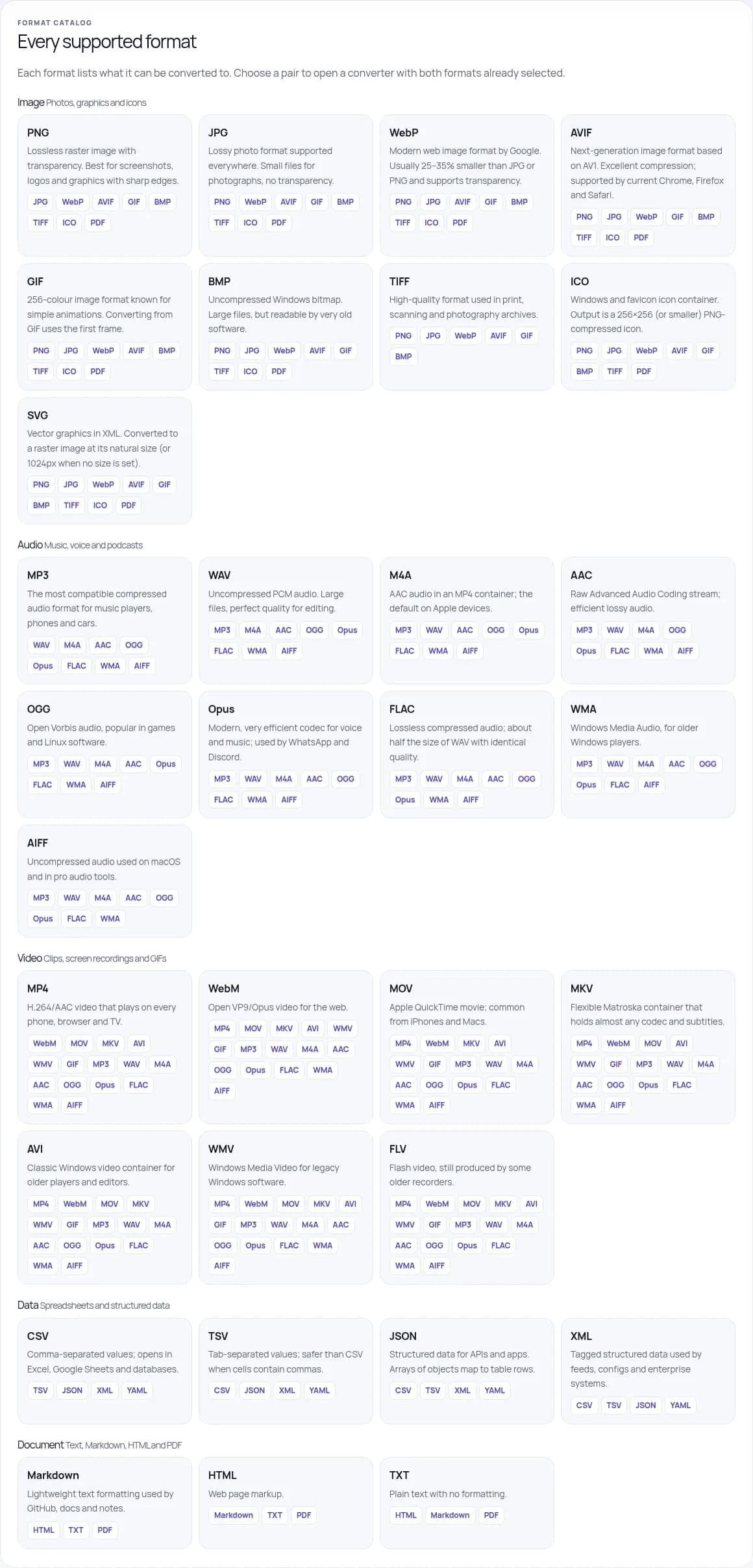
- Photo saved as WebP? Convert WebP to JPG.
- Logo needed as a favicon? Convert PNG to ICO.
- Vector needed for a slide deck? Convert SVG to PNG.
- Heavy PNG on a website? Convert PNG to WebP.
Frequently asked questions
What is the best image format for websites?
WebP for most images, AVIF for the smallest files, and SVG for logos and icons.
Does converting PNG to JPG reduce quality?
Slightly, because JPG is lossy, and transparency becomes a solid colour. Use High quality to keep differences invisible.
Can I convert GIF animations?
Image conversion uses the first frame. To make a GIF from a video, use the MP4 to GIF converter.
Key takeaways
- JPG for photos, PNG for sharp graphics, SVG for logos.
- WebP or AVIF for websites.
- Avoid re-saving lossy files repeatedly.
Published 18 November 2026 by the Cloude Tools team.